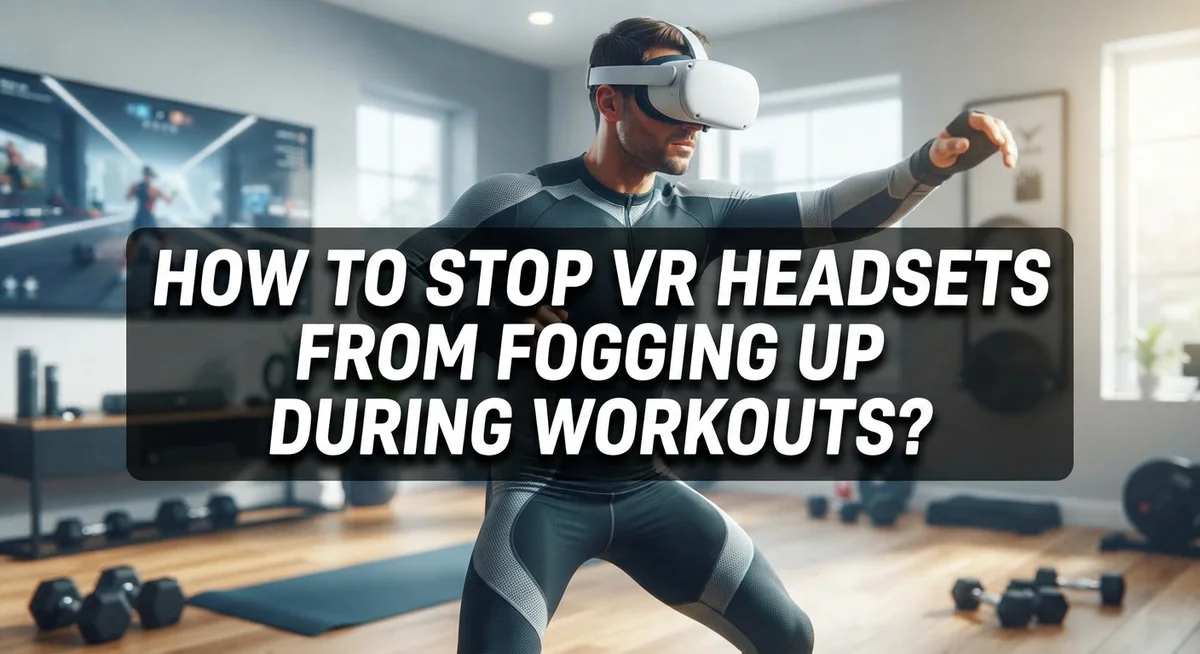
How To Stop VR Headsets From Fogging Up During Workouts?
You are mid-game, heart pumping, fully immersed in a virtual world. Then it happens. Your lenses fog up and everything goes blurry.
VR headset fogging is one of the most frustrating problems for active users. It kills your immersion and interrupts your workout at the worst possible moments.
The good news? It is a fixable problem once you understand why it happens.
Fogging occurs because of a temperature difference between your warm face and the cooler lens surface. When you sweat and generate heat, moisture in the air condenses directly onto the lenses. The result is that cloudy, blurry mess you know too well.
In this guide, you will learn exactly what causes VR lens fogging during workouts. You will also discover practical, proven steps to prevent it from happening in the first place.
Let’s get your vision clear and your workouts uninterrupted.
In a Nutshell
Fogging happens because of a temperature gap between your warm face and the cooler lens surface. Sweat and moisture condense on the lens, blurring your vision fast.
Pre-warming your headset before a session brings the lenses closer to your face temperature. This reduces condensation significantly right from the start.
Proper headset fit matters more than most people think. A loose or too-tight fit traps moisture and heat directly against the lenses.
Keeping your face cool and dry during workouts is one of the most effective long-term habits. A small fan nearby makes a big difference.
Anti-fog inserts and lens wipes help manage moisture during and after intense activity. They are simple, low-effort tools worth having ready.
No single fix solves fogging completely. A combination of pre-warming, ventilation, fit adjustment, and moisture control gives you the best results during heavy workouts.
Why Do VR Lenses Fog Up During Exercise?
Fogging happens because moisture from your sweat condenses on the lens surface. Your face generates heat and moisture during exercise. The VR lens stays cooler than your skin temperature. When warm, humid air from your face meets the cold lens, water droplets form instantly.
The temperature gap is the real culprit. Your skin temperature rises during workouts, sometimes reaching 95 to 100 degrees Fahrenheit. The lens surface stays much cooler, especially at the start of your session. This temperature difference creates the perfect conditions for condensation to build up.
Sweat plays a major role too. Your body releases moisture through your skin during physical activity. This sweat doesn’t just drip down. It also evaporates and creates humidity around your face. When this humid air touches the cold lens, it turns into visible fog.
The headset’s seal makes things worse. Most VR headsets create an airtight or nearly airtight seal around your eyes. This traps warm, moist air directly against the lenses. Poor ventilation means the moisture has nowhere to escape.
Headset fit affects fogging significantly. A loose headset allows some air circulation but may let sweat seep in. A too tight headset traps heat and moisture against your face. Finding the right balance matters more than you might think.
The lens material also matters. Some lens coatings are more prone to fogging than others. Certain materials hold condensation longer before it evaporates naturally.
Understanding these causes helps you pick the right prevention methods. You now know it is not just about sweat. It is about the combination of heat, moisture, cold surfaces, and poor air circulation working together against your clear vision.
Pre-Warming Your VR Headset Before a Workout
Pre-warming your VR headset before a workout is one of the simplest ways to reduce fogging. The basic idea is straightforward: bring your lenses closer to your face temperature before you start exercising.
Here’s how to do it. Turn on your headset and wear it for 5 to 10 minutes while sitting still. Let your face warmth transfer to the lenses naturally. This eliminates the cold surface that causes moisture to condense when sweat appears.
You can also place your headset in a warm room for a few minutes before use. Avoid direct sunlight or heat sources, as extreme temperatures can damage the lenses. Room temperature is enough to make a real difference.
Why this works is simple physics. When your warm face meets a cold lens, moisture in the air turns to liquid on the glass. Pre-warming removes that temperature gap, so condensation forms much more slowly.
However, pre-warming has limits. It works best for light to moderate workouts. During intense exercise with heavy sweating, pre-warming alone won’t stop fogging completely. You’ll still need other methods like proper ventilation and fit adjustments.
Think of pre-warming as your first line of defense, not your only defense. It’s most effective when combined with other strategies.
The timing matters too. Pre-warm right before your workout begins. Don’t warm your headset 30 minutes early and then let it sit. The lenses will cool down again before you start exercising.
Start with this habit today. It takes just a few minutes and costs nothing. You’ll notice fewer foggy moments, especially during the first half of your workout.
How To Adjust Headset Fit for Better Airflow
A proper headset fit is your secret weapon against fogging during workouts. When your VR headset sits too loose, sweat pools around your face and creates moisture buildup. When it’s too tight, heat gets trapped between your skin and the lenses, making condensation worse.
Start by adjusting the head straps first. Most VR headsets have adjustable straps that pull the device closer or further from your face. Tighten them just enough so the headset feels snug but not uncomfortable. You should be able to fit one finger between the strap and your head.
Next, check the face gasket or cushion. This is the foam padding that touches your skin. A worn or compressed gasket creates gaps where sweat sneaks in. Make sure it sits flush against your face without pressing too hard.
Create intentional space between your skin and the lenses. This gap lets air circulate and prevents moisture from sitting directly on the lens surface. If your headset allows, slightly loosen the front panel or adjust the eye relief setting if available. Even a small gap makes a big difference.
Pay attention to the sides of the headset too. Gaps on the edges let warm air escape, which reduces condensation. Some people find that tilting the headset slightly changes airflow patterns and reduces fogging.
Test your adjustments during a light warm up session first. Move around gently and notice where sweat builds up. Adjust accordingly before your full workout. The goal is balance between a secure fit and proper ventilation. This combination keeps moisture from accumulating on your lenses while keeping the headset stable during movement.
Keeping Your Face Cool and Dry While Using VR
Your face temperature and the lens temperature create a moisture problem during workouts. When you exercise, your skin heats up while the lenses stay cooler. This temperature gap causes sweat to condense on the glass surface, making everything blurry.
The key is reducing this temperature difference. Keep air moving around your face by positioning the headset so it doesn’t seal completely against your skin. A tiny gap between your face and the lenses lets moisture escape instead of building up.
Sweat management starts before you even put on the headset. Dry your face thoroughly with a towel before your workout session begins. This removes existing moisture and gives you a fresh start. During intense exercise, your body produces sweat faster than air can evaporate it from the lens area.
Consider the environment around you. A fan or open window helps circulate air and keeps your face cooler overall. Moving air prevents moisture from settling on any surface. Position yourself near a vent or fan if possible during your workout.
Take breaks between intense sessions. This gives your face time to cool down and the headset lenses time to reach your skin temperature. Even five minutes makes a difference.
Wear moisture-wicking materials on your face if possible. Some people use thin headbands or sweatbands to absorb perspiration before it reaches the lens area. This simple step reduces the amount of moisture trying to condense on the glass.
Your breathing also affects fogging. Breathe through your mouth rather than your nose when possible. This redirects warm, moist breath away from the lenses. These combined habits work together to keep your face cool and the lenses clear throughout your workout.
Using Anti-Fog Inserts and Lens Wipes Effectively
Anti-fog inserts work by creating a barrier between your skin’s moisture and the lens surface. These inserts absorb sweat and reduce the temperature difference that causes condensation. Installing them correctly makes a huge difference in how well they perform during your workout.
Start by cleaning your lenses completely before installing any insert. Dust or residue prevents proper contact between the insert and lens. Most inserts stick directly to the lens using adhesive backing. Press firmly from the center outward to remove air bubbles. This ensures even moisture absorption across the entire lens area.
Lens wipes are your second line of defense during and after workouts. Keep them easily accessible so you can wipe your lenses quickly between sets. Wipe gently in circular motions to avoid scratching the lens coating. Don’t press hard or use excessive force. A few gentle passes remove condensation without damaging the lens surface.
Timing matters when using lens wipes. Wipe your lenses during breaks in your workout, not while you’re actively moving. This prevents sweat from immediately refogging the surface. After your workout, wipe them again and let them air dry completely before storing your headset.
Combine both methods for best results. Anti-fog inserts handle moisture passively while you exercise. Lens wipes give you active control when fogging starts. Replace inserts when they become saturated or lose effectiveness. Most inserts last through several workouts before needing replacement.
Store your headset in a cool, dry place after use. This prevents moisture from sitting on the lenses overnight and damaging them. Proper maintenance of both inserts and lenses extends their lifespan significantly.
Setting Up Your Environment To Reduce Condensation
Your environment plays a bigger role in fogging than you might think. The air around you directly affects how much moisture builds up on your lenses during workouts.
Start by checking your room temperature. A warmer space reduces the temperature gap between your face and the lens surface. This smaller difference means less condensation forms. If your workout area feels cold, consider raising the temperature slightly before you exercise.
Air circulation is your next focus. Stagnant air traps moisture around your headset. Open a window or turn on a fan to keep air moving. Position the fan so it blows gently across your face, not directly into your eyes. Better airflow helps sweat evaporate faster instead of collecting on your lenses.
Humidity levels matter too. High humidity environments make fogging worse because the air already holds moisture. If your space feels damp, use a dehumidifier or crack open a window to let moisture escape. Check your room’s humidity with a simple meter if you want to track this.
Consider your workout location carefully. Basements and enclosed rooms trap moisture more easily. Spaces with windows and natural ventilation work better for VR fitness. If you only have limited options, focus extra effort on fan placement and air movement.
Timing your workout helps as well. Exercise during cooler parts of the day when outdoor air is drier. Avoid working out right after showers or in steamy environments.
These environmental adjustments work best when combined with other anti fogging methods. You’re essentially creating conditions where condensation has a harder time forming in the first place.
Common Mistakes That Make VR Fogging Worse
Many people make simple mistakes that make fogging much worse during VR workouts. Understanding these errors helps you avoid them and keep your lenses clear.
Relying only on pre-warming is a common mistake. You might heat your headset before exercise, but this method has limits. Pre-warming works best for light activity. Heavy workouts with lots of sweat overwhelm this approach. The temperature difference between your warm face and the lens still creates condensation. Pre-warming alone won’t solve the problem during intense sessions.
Another frequent error is ignoring proper headset fit. A loose headset traps warm, moist air against your lenses. Tight straps that press the device too close to your skin also trap moisture. You need balanced tension. The fit should be snug enough to stay in place but loose enough to allow airflow underneath.
Many people also wipe lenses at the wrong time. Cleaning your lenses while actively moving around often smears moisture rather than removes it. You end up pushing sweat deeper into the lens surface. Wait for brief rest moments to wipe properly.
Skipping environmental checks is another mistake. You might focus only on the headset itself and ignore your surroundings. A hot, humid room makes fogging worse no matter what you do to the device. Room temperature and air circulation matter significantly.
Finally, people often forget about face moisture before putting on the headset. Starting your workout with a dry face makes a real difference. Wiping your forehead and cheeks before use reduces the initial moisture buildup. These small adjustments prevent many fogging problems before they start.
Troubleshooting Persistent Fogging Issues
When fogging persists despite your best efforts, you need to dig deeper into what’s actually happening. The problem usually stems from one of three sources: your headset fit, your cooling strategy, or your pre-workout preparation.
Start by checking your headset fit carefully. A loose fit allows warm air to escape and cool air to enter near your face. This creates the exact temperature swing that causes condensation. Tighten the straps gradually and test during short sessions. A snug fit keeps warm air away from the lenses.
Next, examine your pre-warming routine. Simply placing your headset on a warm surface for a few minutes helps, but this method has limits. Heavy sweating during intense workouts can overwhelm any pre-warming benefit. Instead, combine pre-warming with active cooling. Run a fan in your workout space before you begin. Let air circulate around your face and neck for several minutes before putting on the headset.
Your breathing pattern matters more than most people realize. Breathing directly into the headset forces warm, moist air onto the lenses. Try breathing through your nose more deliberately. Keep your mouth relaxed and slightly open to redirect airflow.
If fogging still occurs, check your lens wipe technique. Wiping too aggressively damages coatings and spreads moisture around. Use gentle, circular motions during rest breaks only. Never wipe while moving or sweating heavily.
Finally, consider moisture timing. Dry your face completely before wearing the headset. Use a towel to remove all visible sweat and moisture from your forehead, cheeks, and nose area. This simple step prevents immediate condensation when you first put on the device.
Persistent fogging usually means multiple factors need adjustment simultaneously, not just one solution alone.
Final Thoughts
Keeping your VR lenses clear during workouts comes down to combining multiple strategies rather than relying on just one fix.
The root cause is always the same. Warm, moist air from your face meets a cooler lens surface, and condensation forms. Every effective solution targets that temperature and moisture gap.
Pre-warming your headset helps reduce that initial gap. Proper fit ensures air circulates instead of getting trapped. Keeping your face cool and dry before and during your session removes the moisture source before it becomes a problem.
Your environment matters just as much as your technique. A cool, well-ventilated room with lower humidity gives fogging far less chance to occur. These background conditions support everything else you do.
Lens wipes handle the moisture that still gets through. Using them correctly during breaks, with a light circular motion, keeps your lenses performing well throughout longer sessions.
The biggest lesson from all of this is that no single step works perfectly on its own. Pre-warming alone fails during heavy workouts. Wiping alone doesn’t solve a poor fit. Environmental control alone isn’t enough if your face is soaked with sweat.
Stack these methods together and fogging becomes manageable. Most people who still struggle are missing one piece of the puzzle, whether that’s fit, timing, breathing, or room conditions.
Start with the basics and build from there. Pre-warm your headset, adjust the fit, cool your face, and manage your environment. Add lens wipes as your ongoing maintenance tool.
Consistency is what makes the difference. Apply these habits every session and clear lenses will become your normal workout experience.
Frequently Asked Questions
Why does my VR headset fog up when I work out?
Fogging happens because of a temperature difference between your warm face and the cold lens surface. When you sweat during exercise, moisture from your skin and breath hits the cool lens. The moisture then condenses into tiny water droplets, creating that cloudy layer.
This process speeds up during intense workouts when you produce more sweat and heat. Your breathing also pushes warm, humid air toward the lenses, making the problem worse.
Does pre-warming my headset actually stop fogging?
Pre-warming helps, but it’s not a complete solution by itself. When you warm the headset before use, you reduce the temperature gap between your face and lenses. This slows down condensation at first.
However, pre-warming alone fails during heavy workouts. Your body heat and sweat eventually overwhelm the initial warming effect. You need to combine pre-warming with other methods for real results.
What’s the best way to wipe VR lenses during a workout?
Use soft, dry lens wipes during rest breaks, not while you’re actively moving. Wipe with light circular motions from the center outward. Avoid pressing hard, as this can damage the lens coating.
Keep your wipes clean and dry. Wet or dirty wipes spread moisture around instead of removing it. Store them in a clean pocket or pouch between uses.
Can I use a fan to stop VR fogging?
Yes, air circulation helps reduce moisture buildup. A fan keeps air moving around your face and headset, which lowers humidity levels in your immediate area.
Position the fan so it blows toward your face without directly hitting the headset. This approach works best when combined with proper headset fit and pre-warming.

Hi, I’m Suzy — the voice behind RapidGenLab. I’m a tech enthusiast who loves breaking down complex products into simple, honest reviews and comparisons. Got a question? Feel free to reach out!