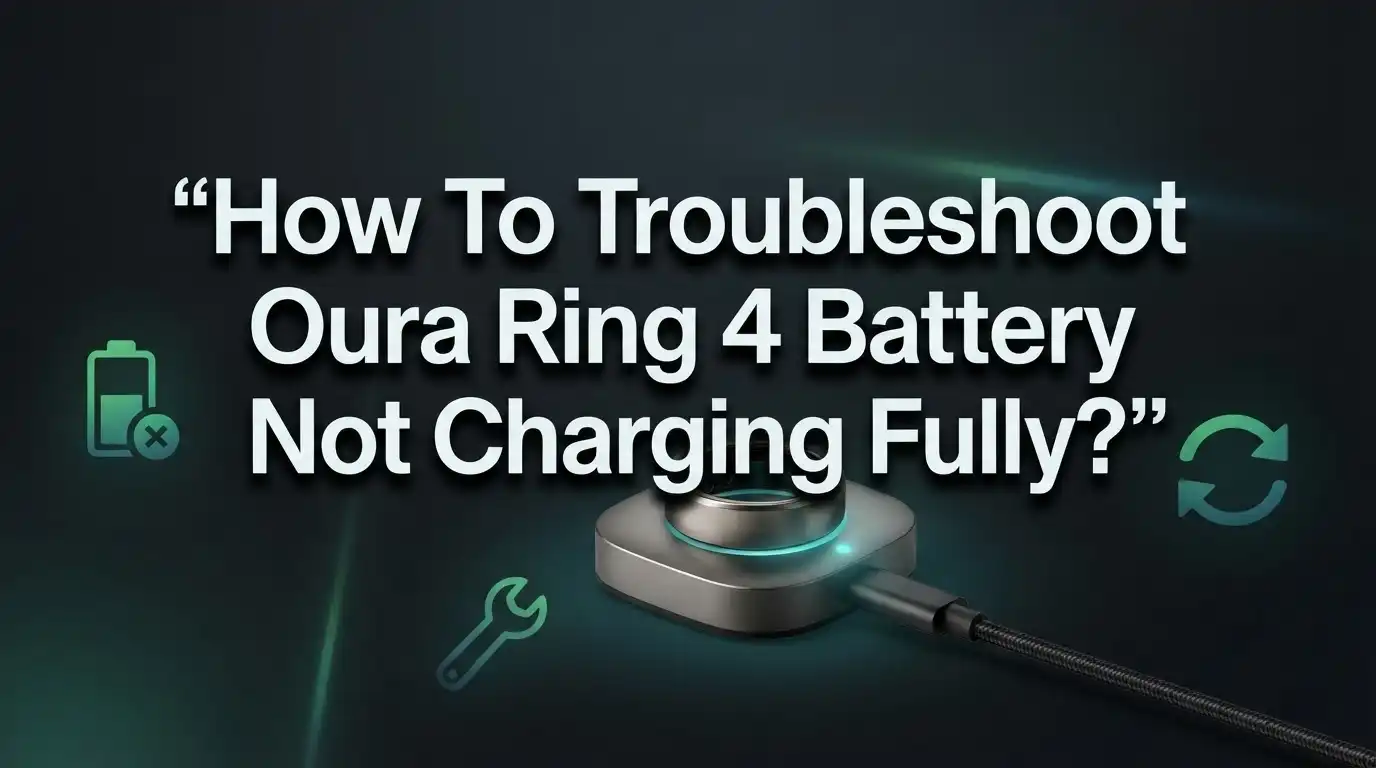
How To Troubleshoot Oura Ring 4 Battery Not Charging Fully?
Does your Oura Ring 4 stop charging before it hits 100%? You are not alone. Many users notice their ring loses juice faster than usual or refuses to charge fully.
This problem can feel frustrating, especially when you rely on your ring for sleep and activity tracking. A weak battery means missing data and constant charging breaks.
The good news is that most charging issues have simple fixes. Dirty contacts, loose connections, or outdated firmware often cause the trouble.
In this guide, we will walk you through easy troubleshooting steps to get your ring charging properly again. You will learn how to clean the charging dock, cycle the charger correctly, and update your firmware.
In a Nutshell
- Clean the contacts first. Wipe your ring and charger with a soft, dry cloth. Dirt and oil often block a full charge.
- Check the connection. Make sure your ring sits flat and snug in the charging dock. A loose fit stops power flow.
- Try the charging cycle trick. Place the ring on the charger for a few seconds, remove it, then repeat this for a few minutes. This can reset a stuck connection.
- Update your firmware. Old software can cause charging glitches. Keep your app updated for smooth performance.
- Avoid bad habits. Do not leave your ring on the charger after it hits 100%. Skip extreme heat or cold too.
- Know when to get help. If nothing works and your ring still will not charge fully, reach out to Oura Member Care. Your ring may need a professional check or replacement.
Common Causes of Incomplete Charging
Your Oura Ring 4 may stop charging before reaching 100% for several reasons. Understanding these causes helps you fix the problem quickly.
Dirty charging contacts are the most common culprit. Dust, sweat, and debris build up on both your ring and the charging dock over time. This buildup blocks the electrical connection. Your battery cannot receive power even when the charger is plugged in.
Loose or improper connection also prevents full charging. If your ring does not sit flat in the dock, it may charge slowly or stop partway. The contact points need to align perfectly for optimal power transfer.
Firmware issues can trigger incomplete charging cycles. Your ring’s software controls how it charges and manages battery health. Outdated firmware sometimes causes the ring to stop charging prematurely as a safety measure.
Battery degradation happens naturally over time. Lithium batteries lose capacity after hundreds of charge cycles. If your ring is over two years old, the battery may simply hold less charge than before.
Temperature exposure damages battery performance. Extreme cold (below freezing) or extreme heat slows charging and reduces battery capacity. This is temporary if temperatures return to normal, but repeated exposure causes lasting damage.
Overcharging habits wear out your battery faster. Leaving your ring on the charger continuously after it reaches 100% stresses the battery. This accelerates degradation and leads to incomplete charging cycles.
Software glitches occasionally cause charging to pause unexpectedly. A simple restart of your ring or recharging cycle often resolves this issue.
Most of these causes have straightforward solutions. Start by cleaning your contacts and checking your connection. Then update your firmware. These basic steps fix the majority of incomplete charging problems.
Cleaning the Charging Dock and Ring Contacts
Dirty contacts are the primary reason your ring stops charging before reaching 100%. Over time, dust, sweat, and debris build up on both the charging dock and your ring’s metal contact points. This buildup creates a barrier that blocks the electrical connection needed for a full charge.
Start by gathering a soft, dry cloth. Microfiber cloths work best because they do not scratch delicate surfaces. Gently wipe the charging dock’s metal contacts in circular motions. Pay special attention to any visible dirt or discoloration on these metal areas.
Next, clean your ring’s charging contacts. Hold the ring under soft light to see the small metal points on its inner surface. Use your cloth to wipe these areas carefully. Do not use water, alcohol, or cleaning solutions. These liquids can damage the ring’s electronics and void your warranty.
Inspect the charging cable as well. Wipe the entire length with your cloth to remove any dust or debris. Check that the cable connects firmly to both the power adapter and the dock itself.
After cleaning, place your ring on the charger and observe how it sits. The ring should rest flat and centered in the dock. If it rocks or tilts, the connection may be loose. Reposition the ring until it feels stable and secure.
Clean your charging equipment once weekly to prevent buildup. This simple habit keeps your contacts in perfect condition. If your ring still will not charge fully after thorough cleaning, move on to the next troubleshooting step. The issue may involve your ring’s firmware or a deeper hardware problem.
Step-by-Step Charge Cycling Method
The charge cycling method is a proven technique that resets your ring’s charging system. This simple process often fixes incomplete charging without requiring any special tools.
Start by placing your Oura Ring 4 on the charging dock. Leave it there for just 3 to 4 seconds. The goal is to let the charger make contact with your ring’s battery contacts briefly.
Next, remove your ring from the dock. Wait for 2 seconds while the ring is off the charger. This pause allows the charging circuit to reset itself.
Repeat this cycle continuously for 3 to 4 minutes total. You will place the ring on the charger, remove it after a few seconds, pause, then repeat. This repetitive action helps clear minor software glitches that prevent full charging.
During this process, watch your ring’s LED indicator light. It should flash or change color as you cycle it on and off the dock. This visual feedback tells you the charging system is responding.
After completing 3 to 4 minutes of cycling, leave your ring on the charger normally. Let it charge for at least 2 hours without interruption. Your ring should now charge to 100% without stopping prematurely.
Why does this work? The charge cycling method resets the battery management system inside your ring. Sometimes your ring’s software gets confused about the battery level and stops charging too early. By repeatedly disconnecting and reconnecting, you force the system to recalibrate.
If your ring still does not charge fully after trying this method, move on to updating your firmware. Software updates often contain fixes for charging problems that cycling alone cannot solve.
Checking and Updating Firmware
Firmware updates often fix battery charging problems that software glitches create. Your Oura Ring 4 runs code that manages how it charges, and outdated firmware can cause incomplete charging cycles.
Check your current firmware version first. Open the Oura app on your phone. Navigate to your ring settings. Look for the device information section. Write down the version number you see there.
Visit the official Oura website to find the latest firmware version available. Compare it with your current version. If your ring uses older firmware, an update is available.
Connect your ring to the charger before updating. The ring needs power during the firmware update process. Place it on the charging dock and ensure the LED light shows it’s connected properly.
Open the Oura app and go to settings. Select your ring device. Look for the update or firmware option. The app will check for available updates automatically.
Tap the update button if one appears. Do not remove your ring from the charger during this process. Updates typically take 5 to 10 minutes to complete.
Your ring’s LED indicator will change colors during the update. Wait until the process finishes completely. The app will confirm when the update succeeds.
Test your charging after the update completes. Place your ring on the charger for a full cycle. Monitor whether it now charges to 100 percent.
Many users report that firmware updates resolve incomplete charging issues. If your ring still fails to charge fully after updating, the problem likely involves hardware rather than software. This means you may need to contact Oura Member Care for further assistance or potential replacement options.
Setting Up Low Battery Notifications
Low battery notifications help you charge your ring before it dies completely. This feature prevents interruptions to your health tracking and extends your battery’s overall lifespan.
Enable notifications in your Oura app first. Open the app on your phone and navigate to settings. Look for the battery or notifications section. You’ll find options to set alert thresholds. Most users choose to receive alerts when battery drops to 20 or 25 percent.
You can customize how often you get reminders. Select daily notifications if you charge your ring every evening. Choose weekly alerts if you charge less frequently. The app lets you pick your preferred notification style as well.
Push notifications work best for most people. They appear directly on your phone screen. You can also enable in app notifications that show when you open Oura. Some users prefer email alerts for a permanent record of their charging history.
Set multiple alert levels for better control. You might want a first alert at 30 percent and a second one at 10 percent. This gives you advance warning and a final reminder before the battery dies.
Test your notification settings after enabling them. Drain your ring’s battery partially to confirm alerts arrive on time. Adjust the threshold if notifications come too early or too late for your routine.
Keep notifications active even after fixing your charging issue. Low battery alerts remain helpful for maintaining long term battery health. They remind you to charge regularly instead of letting the battery drain completely. This habit significantly improves how long your ring’s battery lasts over months and years.
Preventing Future Charging Problems
Preventing future charging problems keeps your Oura Ring 4 working reliably. The best approach starts with understanding what damages your battery over time.
Avoid overcharging your ring when the battery reaches 100%. Many people leave their ring on the charger all night or for extended periods. This continuous charging creates heat that degrades your battery faster. Remove your ring from the dock as soon as the battery hits full capacity.
Temperature control matters more than most users realize. Don’t expose your ring to extreme heat or cold. Temperatures below minus 4 degrees Fahrenheit or above 113 degrees Fahrenheit harm your battery. Store your ring in a cool, dry place when not wearing it.
Charge your ring more frequently instead of waiting for the battery to drain completely. Regular charging sessions keep your battery healthier than occasional full drains. Aim to charge your ring every one or two days for best results.
Clean your charging contacts regularly to prevent connection problems. Dust and debris accumulate on both the ring and the dock. Wipe the charging dock and your ring’s metal contacts with a soft, dry cloth weekly.
Ignore firmware updates and you risk battery problems later. Check the Oura app monthly for available updates. Install updates promptly to fix software bugs that affect charging performance.
Enable low battery notifications in your app settings. These alerts remind you to charge before your battery dies. Set multiple notification levels so you never forget.
Following these prevention tips reduces charging issues significantly. Your battery will last longer and charge more efficiently. Most charging problems become preventable with consistent care and attention to these simple habits.
Mistakes That Worsen Battery Performance
Several common mistakes can significantly damage your Oura Ring 4’s battery performance. Understanding these errors helps you avoid expensive repairs or replacements.
Leaving your ring on the charger continuously is one of the biggest problems. Once your battery reaches 100%, remove the ring immediately. Overcharging drains the battery’s internal cells faster than normal use. Your ring loses charging capacity each time you leave it plugged in after it’s full. Think of it like leaving your phone on the charger for days straight.
Ignoring firmware updates creates serious battery issues. Software updates fix charging bugs and improve power management. When you skip updates, your ring can’t communicate properly with the charger. This leads to incomplete charging cycles and wasted battery health.
Neglecting to clean your charging contacts prevents proper power transfer. Dust and debris block the connection between your ring and charger. Even tiny particles reduce charging efficiency. Wipe both the ring’s contacts and the charging dock weekly with a soft, dry cloth.
Exposing your ring to extreme temperatures damages the battery permanently. Cold weather below freezing reduces charging speed. Heat causes the battery to degrade faster. Keep your ring between 50°F and 95°F during charging sessions.
Waiting until the battery completely dies stresses the battery cells. Frequent deep discharges shorten overall battery lifespan. Charge your ring when it reaches 20% instead of waiting for 0%. Regular charging sessions maintain better battery health.
Using damaged charging cables prevents full charging. Inspect your cable for cracks, bent connectors, or fraying. A damaged cable doesn’t deliver consistent power to your ring. Replace any worn cables immediately to restore proper charging.
When to Contact Oura Member Care
Knowing when to contact Oura Member Care helps you get the right support quickly. You should reach out if you’ve completed all the basic troubleshooting steps and your ring still won’t charge fully.
Contact support if your ring needs charging every single day despite following prevention tips. This pattern suggests a hardware defect rather than a user error. Oura Member Care can evaluate whether your battery has degraded beyond normal wear.
You should also escalate if cleaning the contacts and updating firmware don’t solve the problem. Sometimes the charging port itself has internal damage that you can’t fix at home. The support team has tools to diagnose these issues properly.
If your ring charges to only 80 percent or less consistently, that’s worth reporting. This indicates the battery may have reached the end of its lifespan. Oura Member Care can determine if your ring qualifies for a replacement under warranty.
Reach out immediately if you notice physical damage to the charging dock connection. Bent pins or cracked contacts need professional assessment. Attempting to repair these yourself could cause more damage.
Have your ring’s serial number and purchase date ready when you contact support. This information speeds up the process significantly. Keep notes about what troubleshooting steps you already tried. Include details like how long the ring holds a charge and when the problem started.
Oura Member Care typically responds within 24 to 48 hours. They may ask you to perform additional diagnostic steps or send your ring for inspection. Being clear and organized with your information helps them help you faster.
Final Thoughts
Fixing your Oura Ring 4 charging issue doesn’t have to feel like a puzzle. Most problems come from simple things like dirty contacts or loose connections.
Start with the basics every time. Clean your charging dock and check the connection before trying anything complicated.
The charge cycling method works well for stubborn cases. Place your ring on the charger for a few seconds, remove it briefly, and repeat this pattern.
Firmware updates matter more than people think. Skipping them often leads to charging problems that seem unrelated at first.
Good habits prevent most battery issues from happening. Charge your ring often, avoid extreme temperatures, and never let it sit on the charger after reaching full power.
Some problems need professional help though. If your ring still won’t charge fully after trying everything, that’s a sign of a deeper issue.
Battery degradation is normal over time, but it shouldn’t happen too quickly. A ring that worked fine for months and suddenly won’t hold a charge likely has a hardware problem.
Don’t wait too long to reach out for support. The longer you use a ring with battery issues, the more frustrating your daily experience becomes.
Your Oura Ring 4 should charge reliably without constant babysitting. Small maintenance habits now save you bigger headaches later.
Keep track of your charging patterns. Notice if your ring drains faster than usual or takes longer to reach full battery.
These changes often signal problems early, before they become serious. Testing solutions systematically helps you pinpoint the exact cause faster.
Trust your instincts here. If something feels off with your ring’s charging behavior, it probably is. Acting quickly protects your investment and keeps your health tracking consistent.
Frequently Asked Questions
Why does my Oura Ring 4 stop charging at 80 percent?
Several factors can prevent full charging. Dirty charging contacts are the most common culprit. Dust and debris block the electrical connection between your ring and the charger. Clean both the ring’s contacts and the charging dock with a soft, dry cloth.
A loose connection also causes incomplete charging. Make sure your ring sits firmly on the charger. The contacts should align perfectly for power to flow properly.
Firmware issues can limit charging too. Your ring may have outdated software that restricts battery capacity as a safety measure. Check for available updates in your Oura app and install them immediately.
How do I fix a ring that won’t charge past a certain percentage?
Try the charge cycling method first. Place your ring on the charger for 3 to 4 seconds, then remove it for 2 seconds. Repeat this process for 3 to 4 minutes total. This technique helps reset the charging circuit and often resolves stubborn charging problems.
After cycling, clean the charging contacts again with a dry cloth. Sometimes debris gets loose during the process.
Update your ring’s firmware if you haven’t already. Outdated software frequently causes charging limits. Restart your ring after updating by removing it from the charger for 30 seconds.
Can extreme temperatures affect my ring’s charging ability?
Yes, temperature matters significantly. Avoid exposing your ring to extreme cold below negative 20 degrees Celsius. Cold temperatures reduce battery efficiency and prevent full charging.
Heat also damages the battery. Don’t leave your ring in direct sunlight or near heat sources while charging. Room temperature charging works best for maintaining battery health.
Should I leave my ring on the charger overnight?
No. Overcharging damages your battery permanently. Once your ring reaches 100 percent, remove it from the charger immediately. Leaving it connected drains the battery’s lifespan faster.
Charge your ring more frequently instead. Short, regular charging sessions keep the battery healthier than occasional long charges.

Hi, I’m Suzy — the voice behind RapidGenLab. I’m a tech enthusiast who loves breaking down complex products into simple, honest reviews and comparisons. Got a question? Feel free to reach out!